

What is Authentication ?
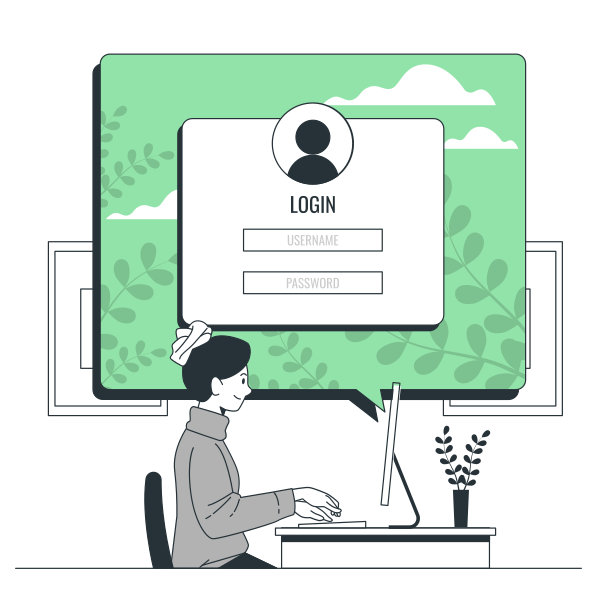
Authentication answers a simple question:
Who are you?
Before any user gets access to your application, the system must verify their identity.
When someone signs in, you are checking their credentials (or other factors) to confirm they are genuine.
Authentication always comes first.
You cannot decide what a user can access until you know who they are.
Real-world analogy
Think of authentication like airport security.
Before boarding a flight, you show your ID.
The officer checks if your identity matches the document.
Only after verification are you allowed to move forward.
Why it matters
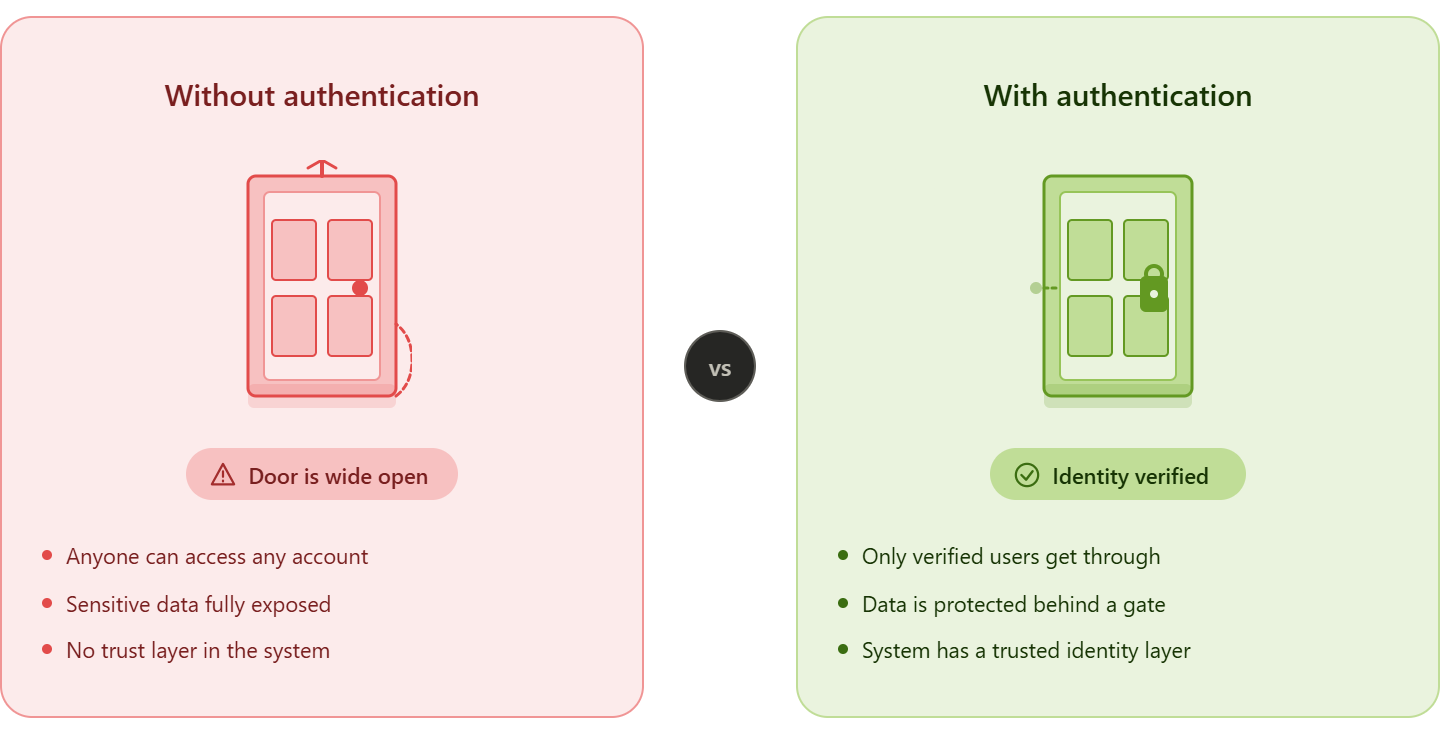
Without authentication:
- Anyone could access any account
- Sensitive data would be exposed
- Your system would have no trust layer
Common Authentication Methods
Here are the most commonly used ways to verify a user’s identity:
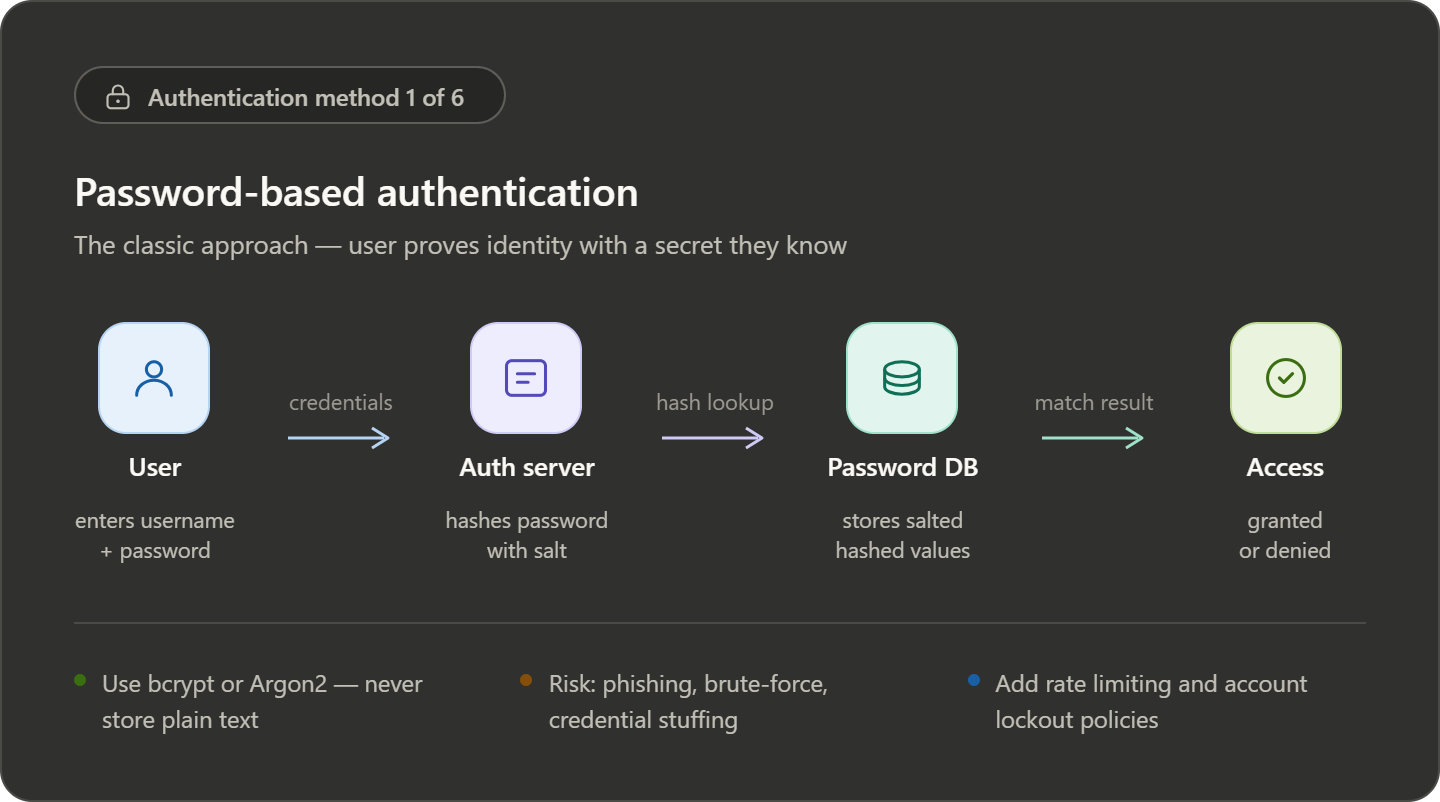
Password-Based Authentication
Users log in using a username/email and password.
- Simple and widely used
- Weak passwords can be hacked easily
- Not enough for modern security alone
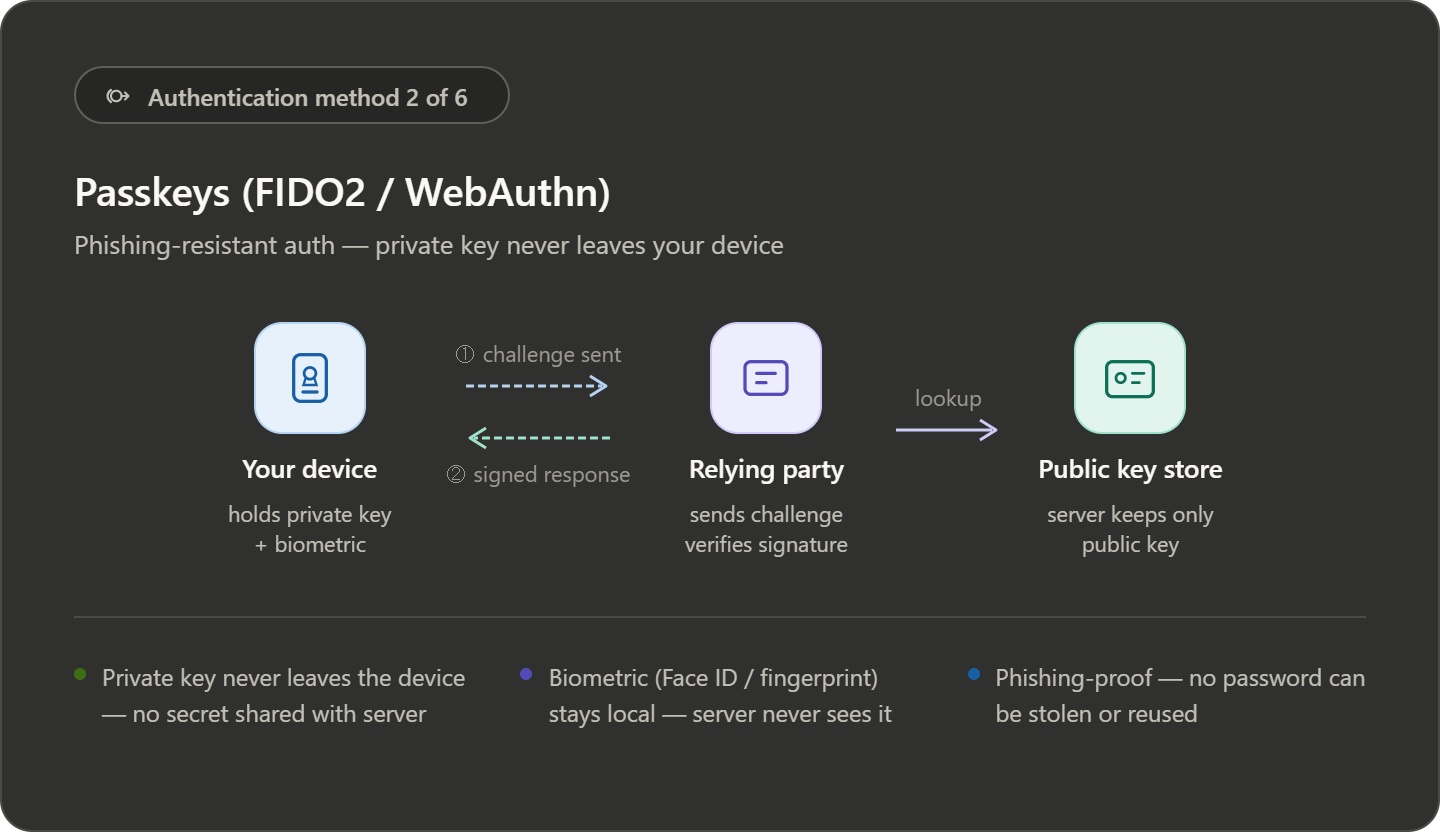
Passkeys
A modern and more secure alternative to passwords.
- Uses cryptographic keys stored on your device
- Protected by fingerprint, face unlock, or PIN
- Resistant to phishing attacks
Faster and safer than traditional passwords
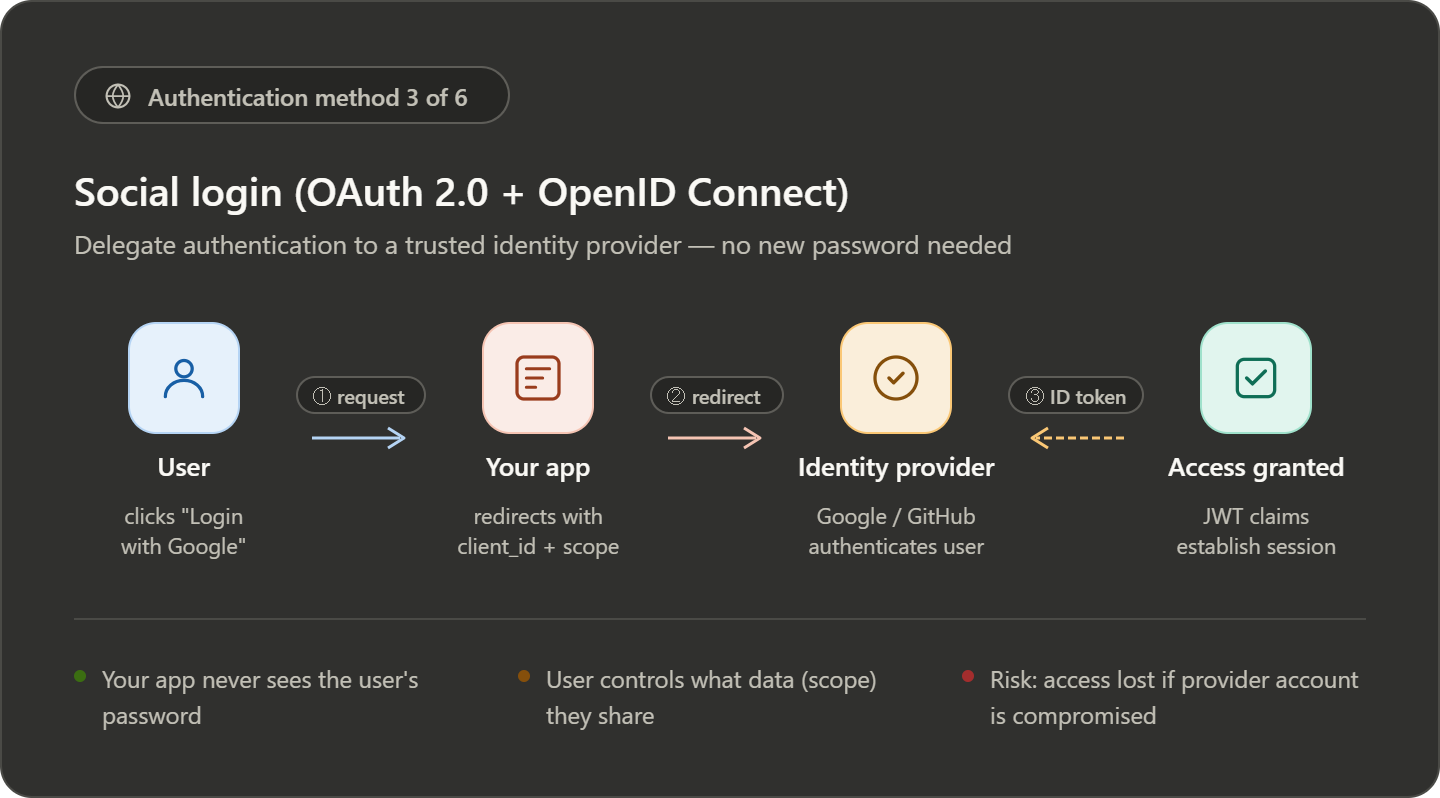
Social Login (OAuth 2.0 + OIDC)
- User authenticates via a trusted provider (Google, GitHub)
- App receives a token after login
- No password is shared with your app
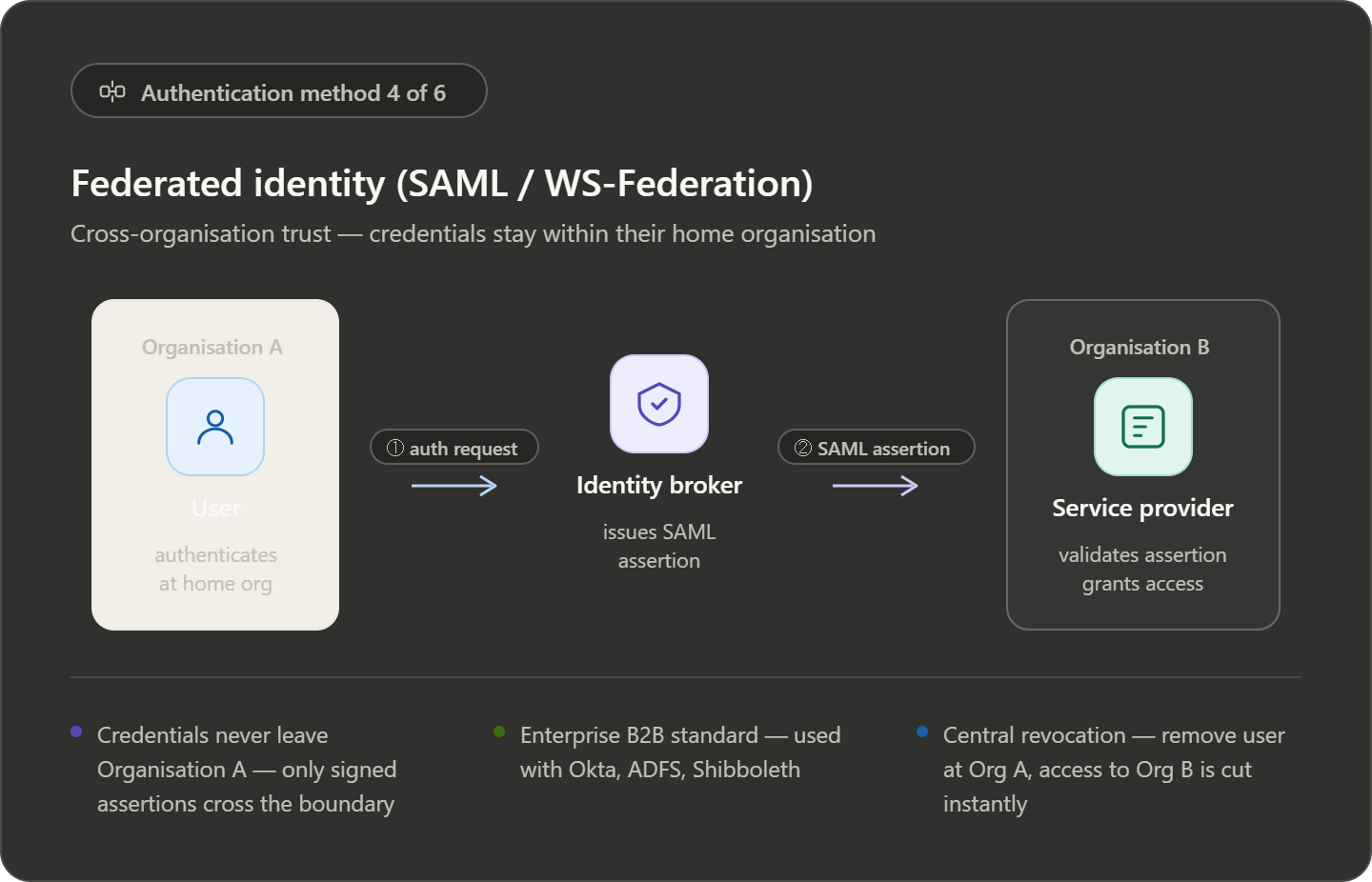
Federated Identity (SAML)
- Authentication handled by user’s organization
- Identity shared using SAML assertion
- Used for cross-organization access
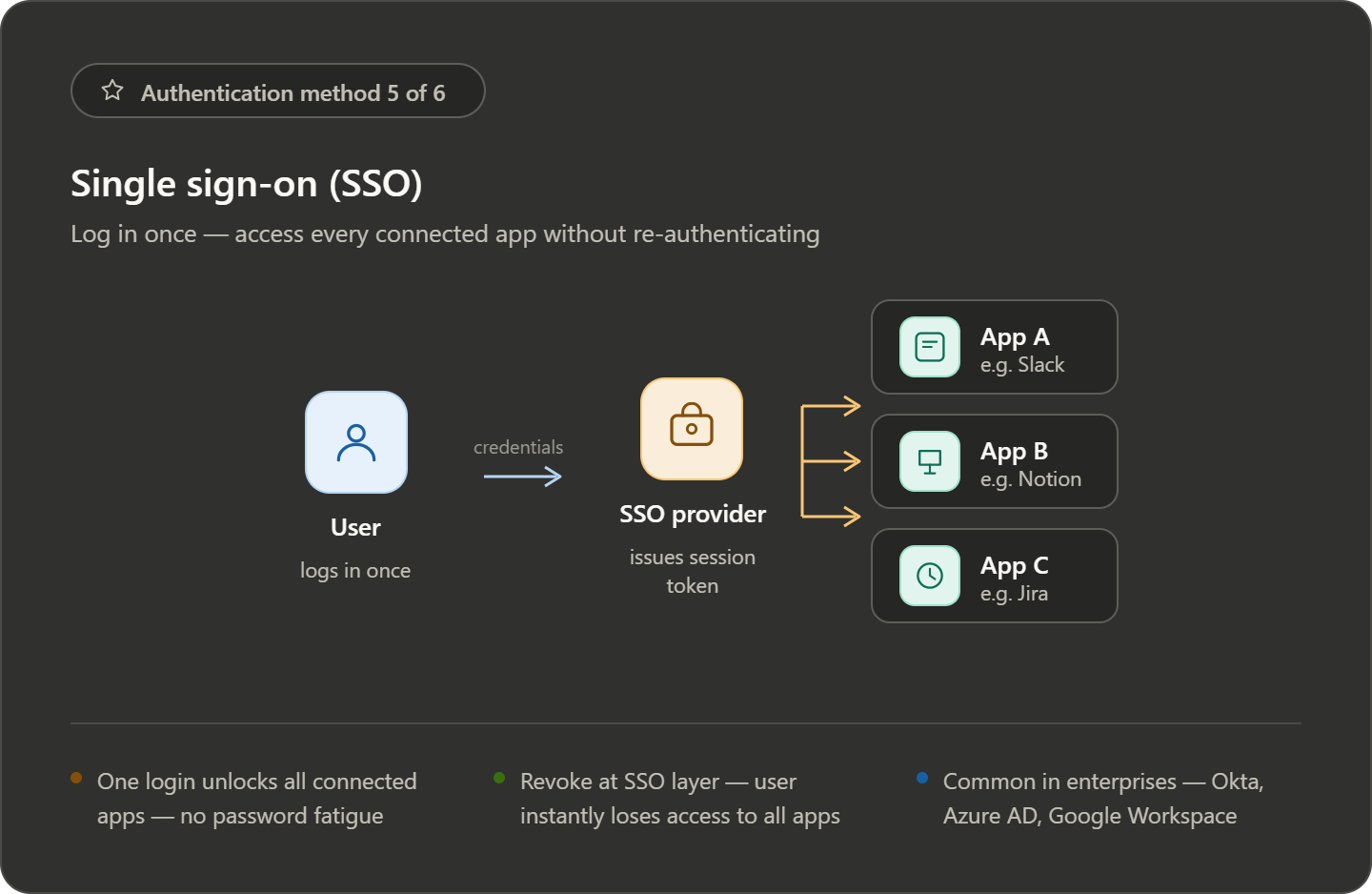
Single Sign-On (SSO)
Login once, access multiple applications.
- No need to log in repeatedly
- Common in enterprise systems
- Improves user experience
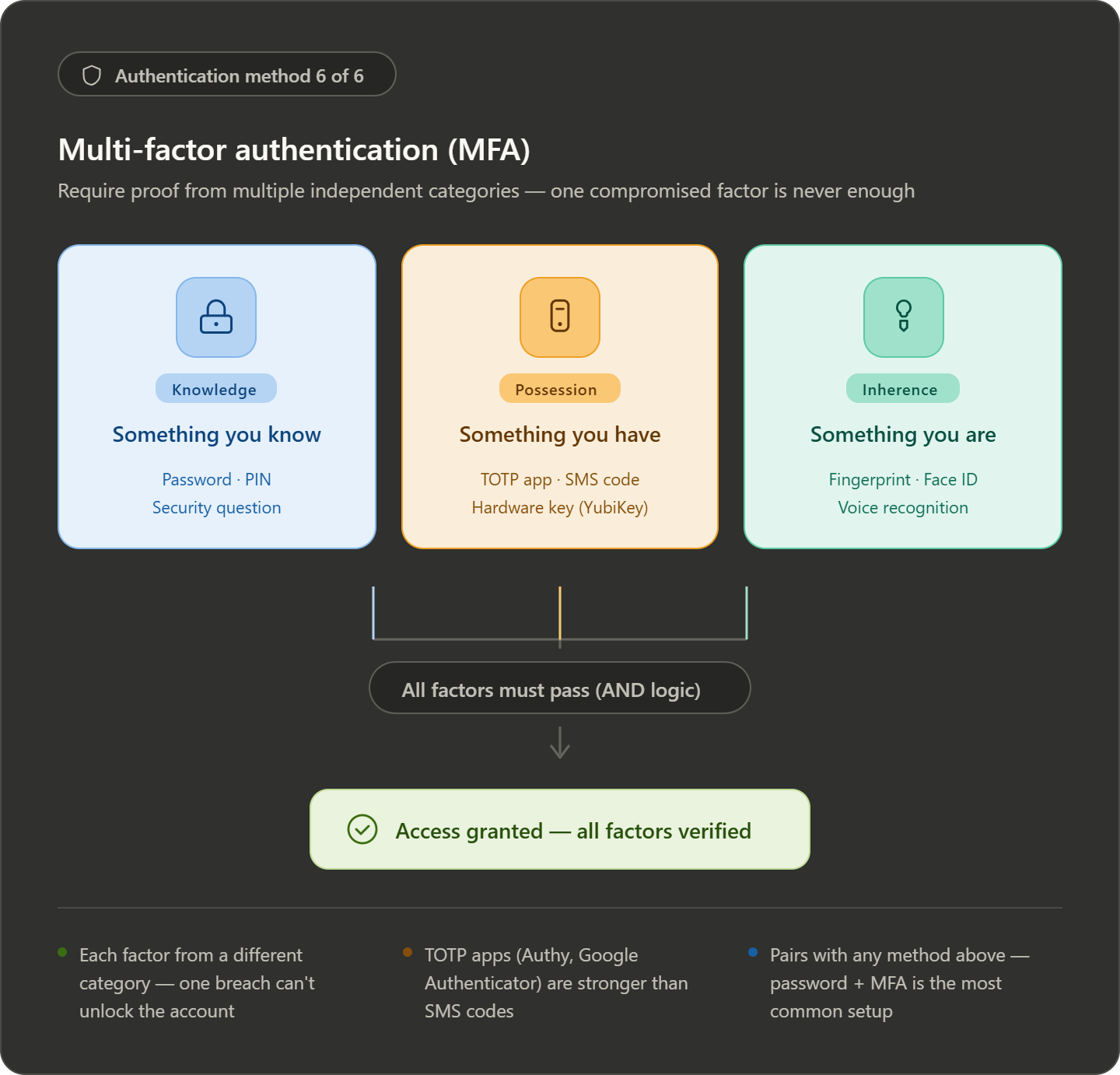
Multi-Factor Authentication (MFA)
Adds extra security by combining multiple checks.
Example:
- Password (something you know)
- OTP or device (something you have)
- Fingerprint (something you are)
Even if one factor is compromised, your account stays safe
What is Authorization?
Authorization comes after authentication.
Once the system knows who you are, the next question is:
“What are you allowed to do?”
It defines which resources a user can access and what actions they can perform.
Simple Understanding
Think of a company dashboard:
- You log in → authentication
- What you can see/edit → authorization
Not every logged-in user gets the same access.
Common Authorization Methods
Access Control Lists (ACL)
- Permissions are defined for specific users or groups
- Each resource has its own access list
Example: Only selected users can view a private file
Role-Based Access Control (RBAC)
- Users are assigned roles (Admin, Editor, Viewer)
- Each role has predefined permissions
Example:
- Admin → full access
- Viewer → read-only
Attribute-Based Access Control (ABAC)
- Access is decided using multiple factors
- Includes user data, resource info, and environment
Example:
- Access allowed only during office hours
- Or only from a company network
How Authentication & Authorization Work Together
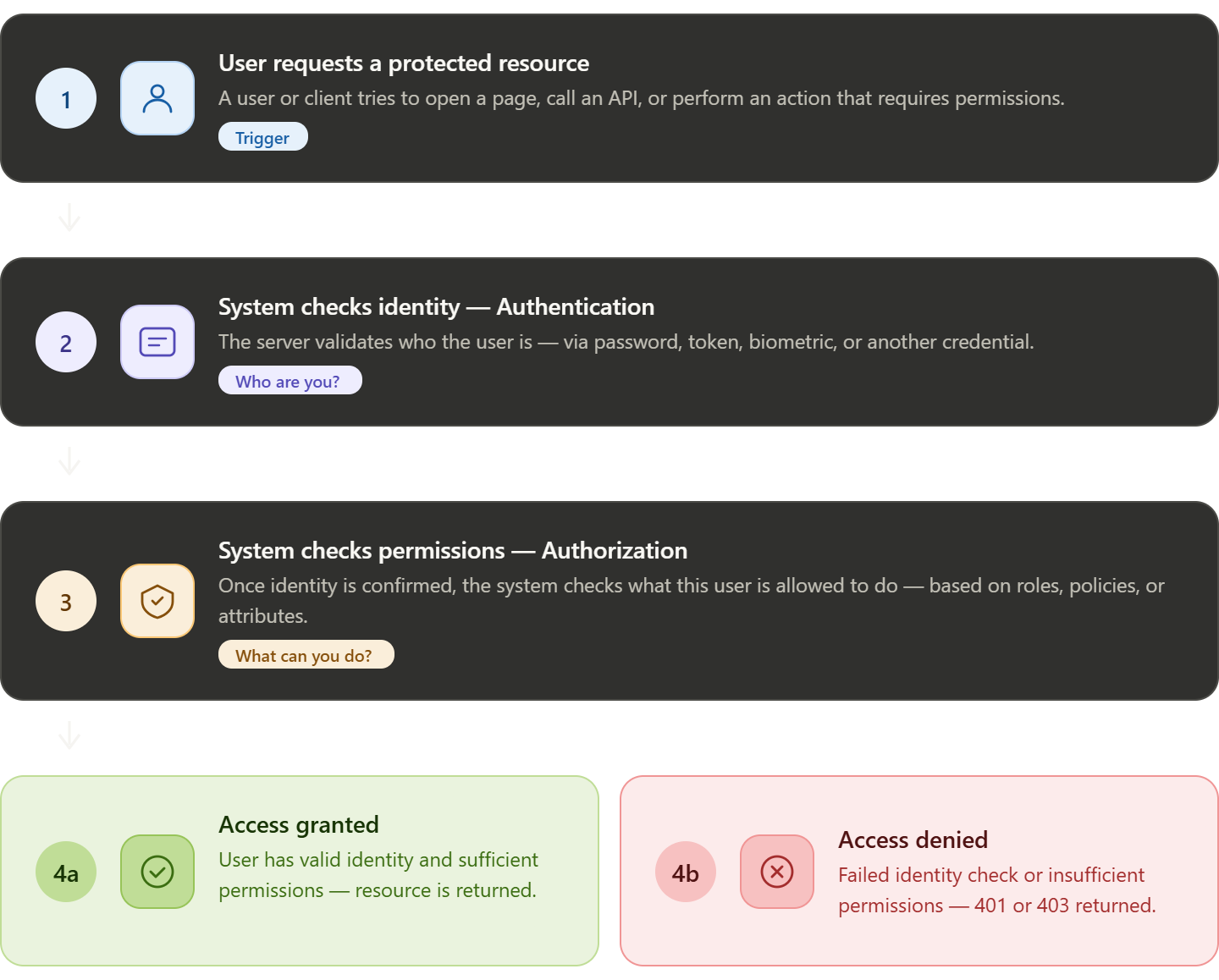
In a real application, both work step-by-step:
- User tries to access a protected resource
- System checks identity (authentication)
- If verified, system checks permissions (authorization)
- Access is either granted or denied
Common Protocols Used
OAuth 2.0
- Used mainly for authorization
- Lets apps access user data without sharing passwords
OpenID Connect (OIDC)
- Built on top of OAuth 2.0
- Adds authentication (identity verification)
SAML
- XML-based standard
- Common in enterprise applications
- Handles both authentication and authorization
Quick Difference
| Authentication | Authorization |
|---|---|
| Who are you? | What can you do? |
| Verifies identity | Verifies permissions |
| Happens first | Happens after |
OAuth and OpenID Connect
OAuth 2.0 is mainly used for authorization. It allows applications to access user data without requiring the user to share their password.
Instead of logging in directly, the user gives permission, and the system provides an access token to the application.
OpenID Connect (OIDC) is built on top of OAuth 2.0 and adds authentication. It helps applications verify the identity of the user.
In simple terms:
- OAuth 2.0 → controls access
- OIDC → confirms identity
Token-Based Authentication
Modern applications rely heavily on APIs. Instead of checking users directly, APIs validate tokens.
Basic flow:
- User logs in through an identity provider
- Server generates tokens after verification
- Client sends token with each API request
- API validates the token and allows or denies access
Types of Tokens
| Token Type | Purpose |
|---|---|
| ID Token | Contains user identity information |
| Access Token | Defines what resources the user can access |
JWT (JSON Web Token)
JWT is a commonly used token format. It contains all required information inside the token itself.
A JWT has three parts:
- Header
- Payload (data/claims)
- Signature
JWT Validation
Before accepting a token, the API must verify it properly.
| Check | Purpose |
|---|---|
| Structure | Ensure token format is correct |
| Signature | Confirm token is not modified |
| Expiration | Ensure token is still valid |
| Issuer | Verify who created the token |
| Audience | Ensure token is meant for your app |
JWT vs Opaque Tokens
| Feature | JWT Token | Opaque Token |
|---|---|---|
| Validation | Done locally | Requires server check |
| Performance | Faster | Slightly slower |
| Revocation | Hard to revoke early | Easy to revoke |
| Scalability | Good for distributed systems | Depends on auth server |
Authentication and Authorization Flow
A common secure flow works like this:
- User starts login
- App redirects to authorization server
- User authenticates
- Server returns authorization code
- Backend exchanges code for tokens
- App uses access token to call APIs
- API validates token and checks permissions
Security Best Practices
| Area | Recommendation |
|---|---|
| Token Lifetime | Use short-lived tokens |
| Permissions | Follow least privilege principle |
| Validation | Always validate tokens |
| Storage | Use secure cookies, avoid localStorage |
Summary
| Concept | Purpose | Used For |
|---|---|---|
| Authentication | Verify identity | OpenID Connect, ID Token |
| Authorization | Control access | OAuth 2.0, Access Token |
Key Takeaways
- Authentication and authorization are different but work together
- OAuth handles access, OIDC handles identity
- Tokens are central to modern web security
- Proper validation and storage are critical for safety